Selected work
Five systems, all running in production. Open the one you want the detail on.
Python
TypeScript
Supabase
5 external APIs
Prospector — an unattended decision system
A system that runs by itself every night on a VPS. It pulls data from five external
services, evaluates thousands of products against a set of business rules, and sends
an alert only when something clears every check. It has been running since July 2026.
Most of the work went into trust. A system that spends real money without supervision
has to be honest about what it does not know. When a data source fails, the run stops
and reports which one. Missing data is never counted as a pass.
37,800+Product evaluations
4,300+Unique products
15,300Lines of Python
1,143Automated tests
8Failure modes documented
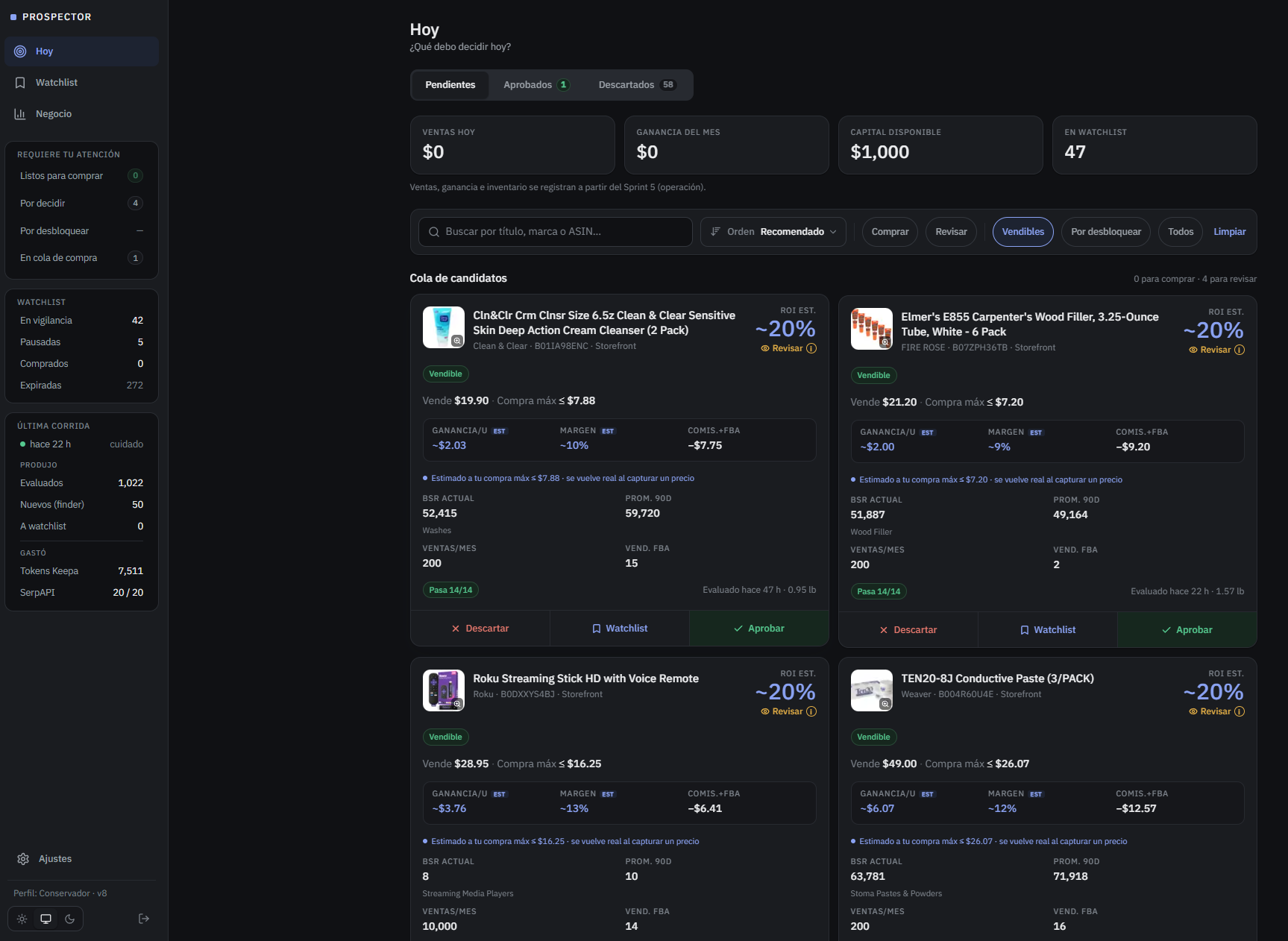
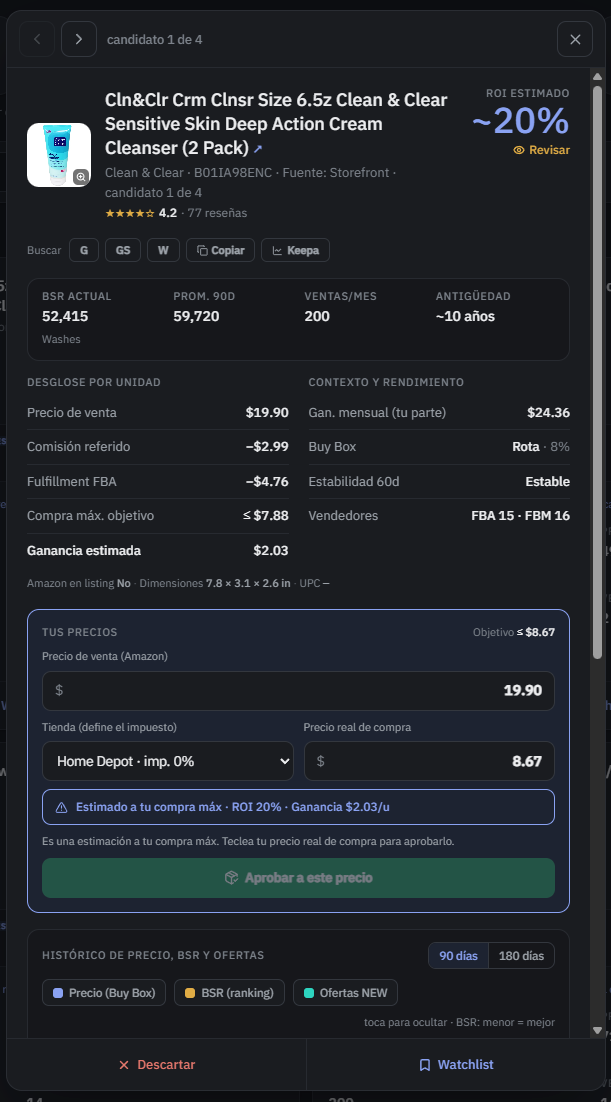
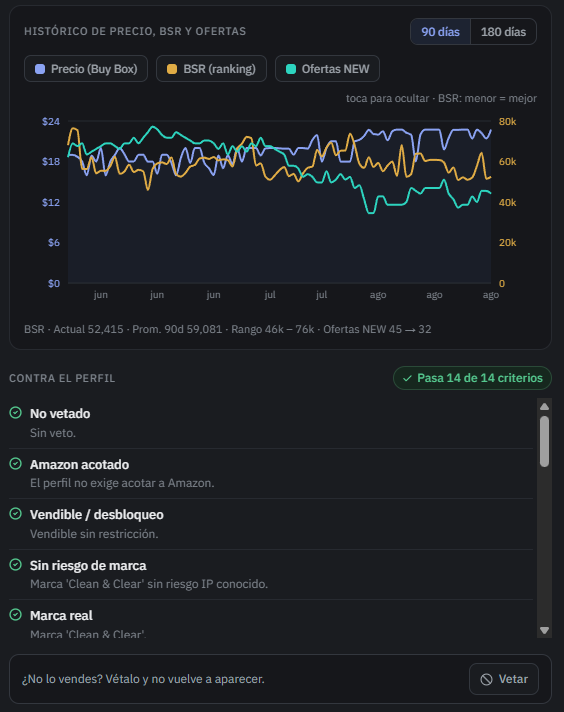
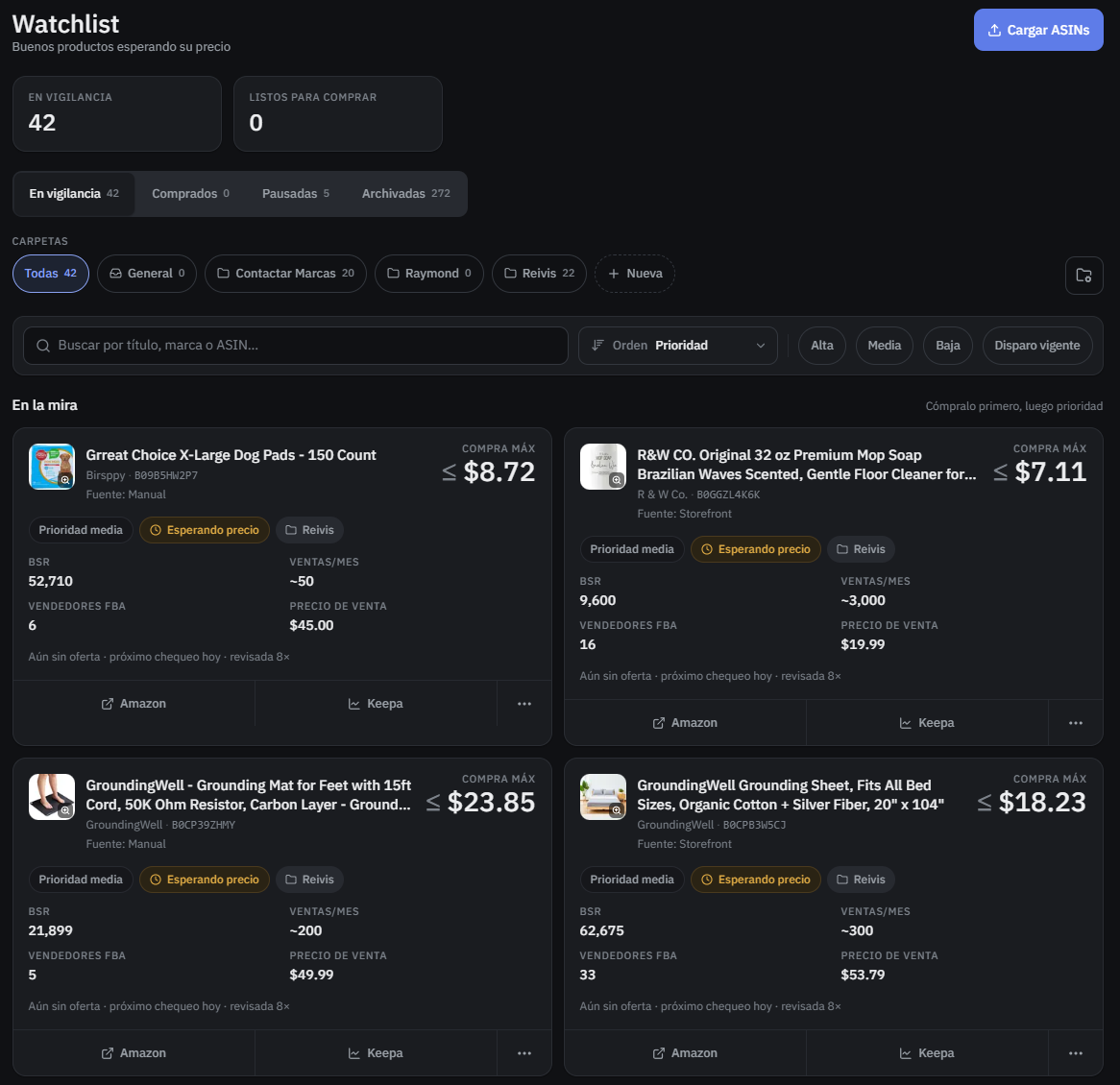
The interface is in Spanish because it has a single user. Click any screen to open it full size.
Read the full case study (PDF, 5 pages) →
Stripe
PayPal
Apple / Google Pay
PostgreSQL
The request that was missing from the logs
In August 2026 I deployed a checkout for a $697 digital product on a store whose
technical side I run. Then I bought it myself, with my own money.
Before testing I had written down the requests that a purchase should produce, and I
read the logs against that list. One never happened, the one that saves the lead. The
save function lived inside the card button handler, so the other two payment paths
never called it. The wallet asked the buyer for their phone number and handed it to
the gateway, where it stayed. PayPal called mark as purchased on a lead
row that had never been created, so the UPDATE matched nothing and came
back fine.
mark as purchased on a lead
row that had never been created, so the UPDATE matched nothing and came
back fine.
Then my own check lied to me. I ran a SQL query to see whether four emails had reached the leads table. It said none of them had. They were all sitting right there. My comparison was case sensitive and the server lowercases the email on the way in. I almost called it verified.
What settled it was a second live purchase through Apple Pay. The missing request
appeared. The raw phone value came in the format the wallet returns, which no other
path writes. That query lives in the repo now, with lower() on both sides.
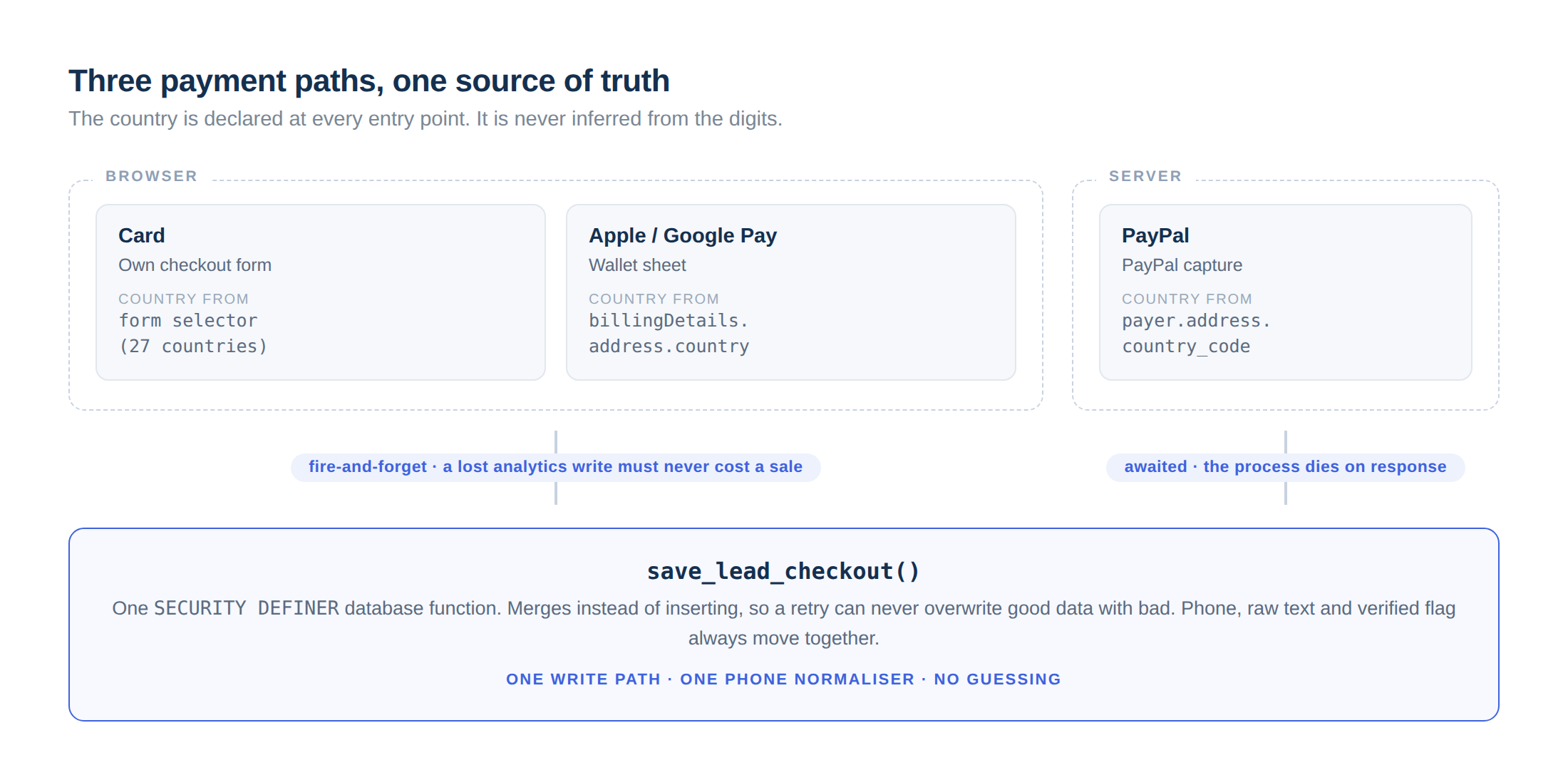
Card and wallet share one browser function. PayPal is captured on the server, so that path saves from the capture endpoint. All three land on the same database function.

Every path in the diagram above, in one screen: wallet and buy-now-pay-later buttons at the top, the card form below, and between them the field this whole case study is about: the country sits in its own selector, right beside the phone number.
The three routes look like one checkout to the buyer. Behind it they are three different integrations that had to be made to agree on a single record.
See it live →A declined payment gets its own screen. It says plainly that no charge was made, notes that a completed payment would have produced an email anyway, and gives two ways forward.

What the buyer sees when the card is declined.
n8n
Claude API
ManyChat
Instagram
Ghost CMS
Marketing automation: four AI pipelines in n8n
Four workflows that run the content and acquisition side of a personal brand. Each one
replaces a task that used to be done by hand every week. All four are live.
4Pipelines in production
53Nodes total
1Human approval gate
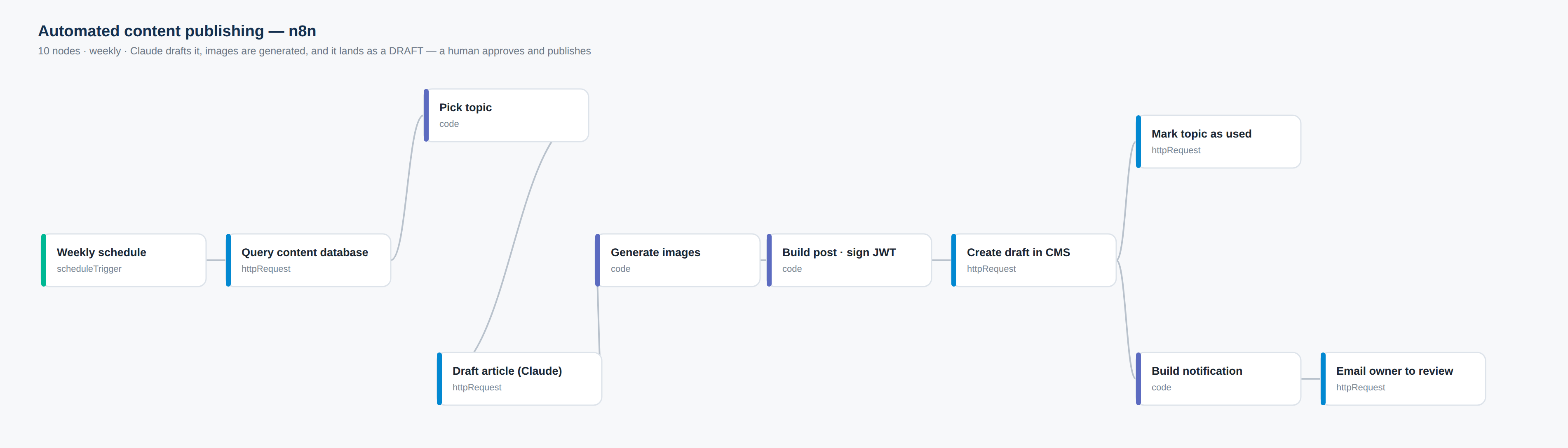
1 · Content publishing, with a human gate
Once a week it pulls the next topic from the content database, drafts the article with Claude, generates the images, and files it in the CMS as a draft. Then it emails the owner. Nothing reaches an audience until a person opens that draft and publishes it.
That gate is a deliberate cost. The pipeline could publish on its own and it would be faster. The article carries the owner's byline, and he would rather wait a day than explain a paragraph he never read.
2 · Newsletter fan-out
When the post does go live, the CMS fires a webhook. This workflow builds the email, pulls the subscriber list, splits it into batches sized to the provider's rate limit, and sends.

3 · On-demand resource delivery from a DM
A subscriber comments or messages on Instagram. ManyChat calls this webhook, and fifteen nodes later they have a personalised PDF in their inbox: Claude writes the content against a brief, it is rendered to PDF, uploaded, made publicly reachable, and the link is written back to the database and returned to the chat, all inside one request.
- ManyChat webhook
- Fetch brief
- Fetch content blocks
- Extract content
- Build Claude payload
- Claude writes the resource
- Build HTML
- Prepare HTML
- Render PDF
- Read PDF
- Upload to Drive
- Make link public
- Store link
- Update database
- Respond to ManyChat
The 15 nodes grouped by the job they do. All of it runs inside the single request ManyChat is waiting on, so the reply has to come back before the chat times out.
4 · Carousel generation, nine slides in parallel
Checks the queue every ten minutes. When a piece is waiting, a language model plans it and nine slides are generated in parallel by an image model, rendered, and merged back into one set. The nine branches run at the same time, so the whole set finishes in roughly the time one slide takes. The merge step waits until all nine have reported.
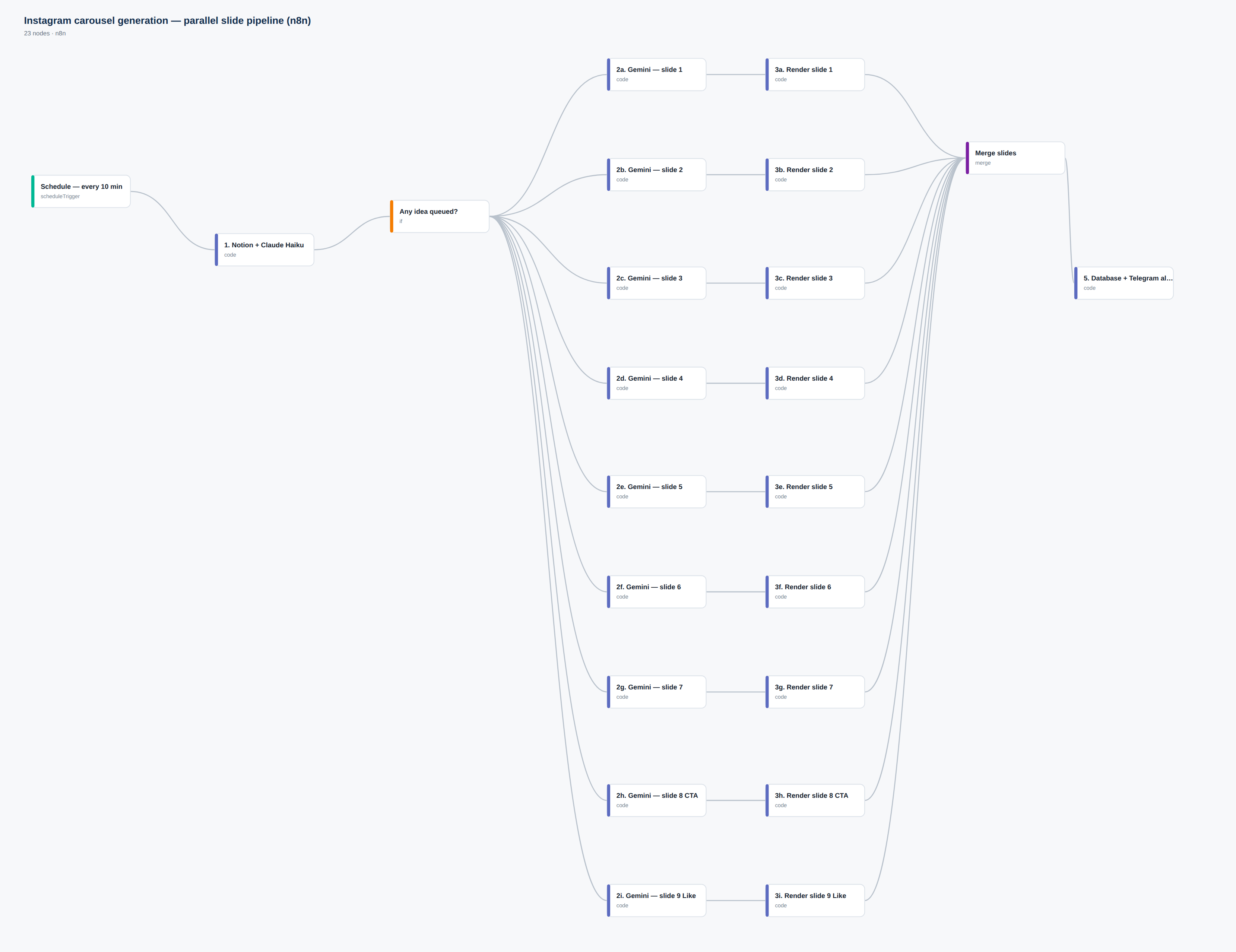
Click any canvas to open it full size. Node names generalised; no client data shown.
Next.js 16
React 19
Gemini 2.5 Flash
Multimodal
PWA
Lumina — reverse prompting for image and video
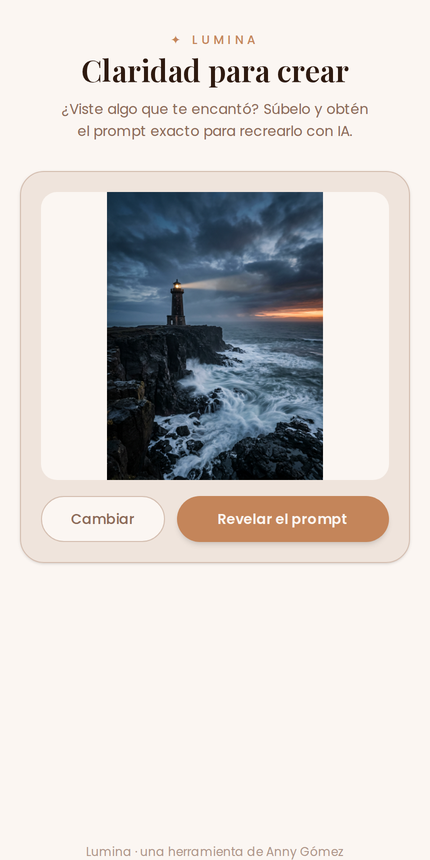
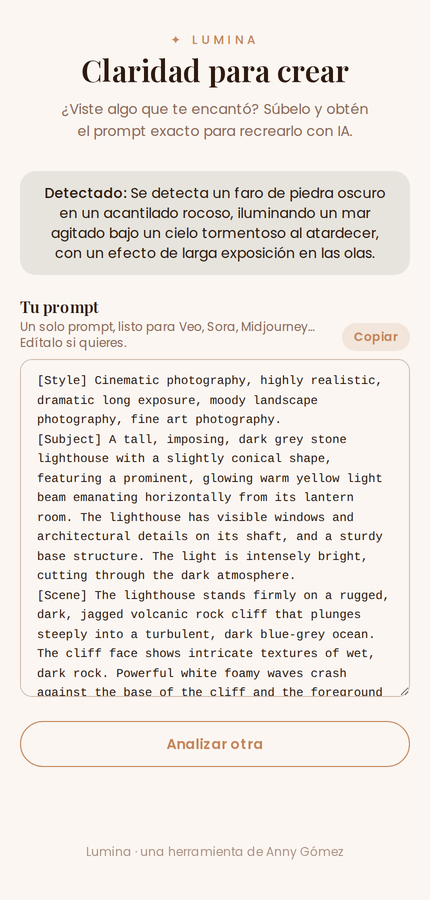
Upload an image or a video, get back the structured prompt that would recreate it:
style, subject and scene, in the shape a generation model expects.
Most of the code here has nothing to do with calling the model. Images travel inline;
video is too large for a serverless request body, so it is uploaded straight to object
storage and analysed by URL, then deleted. The model is given a response schema it has
to fill, so there is no parsing step left to get wrong.
784Lines of TypeScript
2Media paths
120 sFunction ceiling

The decisions worth explaining
- Enforced response schema
- Explicit field ordering
- Image sent inline
- Video via object storage
- Analysed by URL
- Node runtime
- 120-second ceiling
- Blob deleted after use
- Key gate on both routes
The video path is the one that took the work. A serverless function will not accept a request body over 4.5 MB, and it returns an HTML error page instead, so the client's JSON parser is what breaks, several layers away from the cause.
Conversion
Mobile-first
Vanilla JS
Front-ends built to convert
The two entry points for the same brand: the page that receives the traffic, and the quiz
that turns it into a subscriber.
Both are hand-written HTML, CSS and JavaScript with no framework. Almost all the traffic
arrives on a phone over mobile data, and a framework bundle buys nothing on a page with
five links and a form.
Link-in-bio: one page that routes every campaign

↕ Scroll inside the phone
Almost all of this traffic arrives from a phone, so the page was built for a phone first. A short brand header, then a stack of offer cards: quiz, waiting list, blog subscription, free guide, paid programme.
Each card is a separate funnel with its own destination, so a campaign can be swapped out without touching the structure of the page. The email capture for the blog is inline: subscribing does not cost the visitor a page load.
See it live →Interactive quiz: the acquisition engine
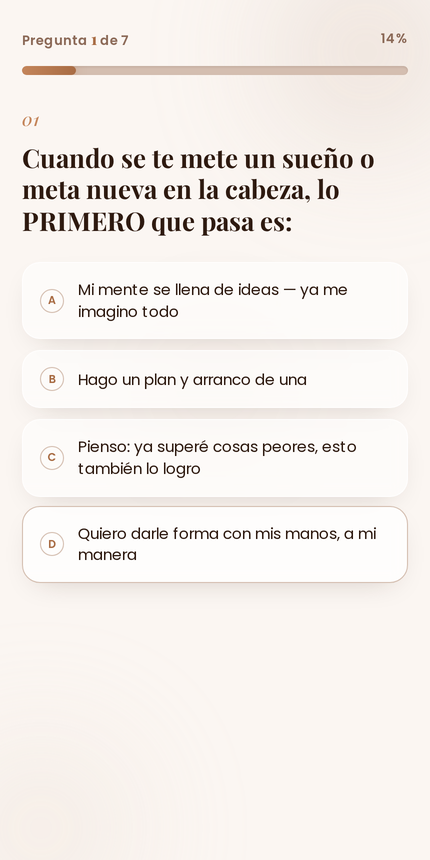
Seven questions, a scored archetype, a result written for that archetype, and a medal the person can post to their story. I put a progress bar on it because seven questions feel like a lot when you cannot see the end.
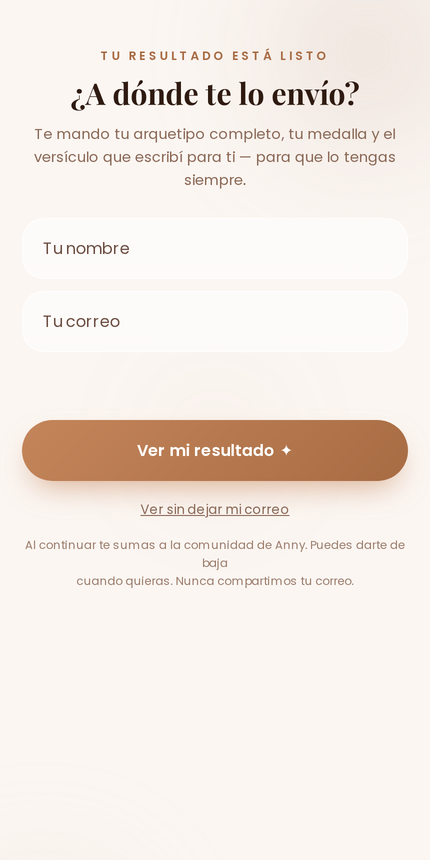
The email is asked for on the screen that announces the result, after the seventh question. Upfront it would cost completion: the visitor has invested nothing yet and closing the tab is free. At that point the archetype is one field away, and most people type it in.